
One of the features people miss most when they move from cable to IPTV is the DVR — the ability to record a show and watch it later. The good news is that IPTV can do this too, often more flexibly than a cable box ever did, but it works a little differently and depends on which app and setup you’re using. This guide explains how recording works on IPTV, which apps support it, what you need in terms of storage, and how it compares to the catch-up feature that some setups offer instead.
Quick answers
- Yes, you can record: apps like TiviMate (with Premium) support scheduling and recording programmes to your own storage.
- It uses the guide: recording works through the EPG — you pick a programme in the guide and tell the app to record it.
- You supply the storage: recordings save to your device or attached storage, so capacity is up to you.
- Catch-up is different: some setups offer catch-up (rewinding to recently aired shows) as an alternative to recording.
How IPTV recording works
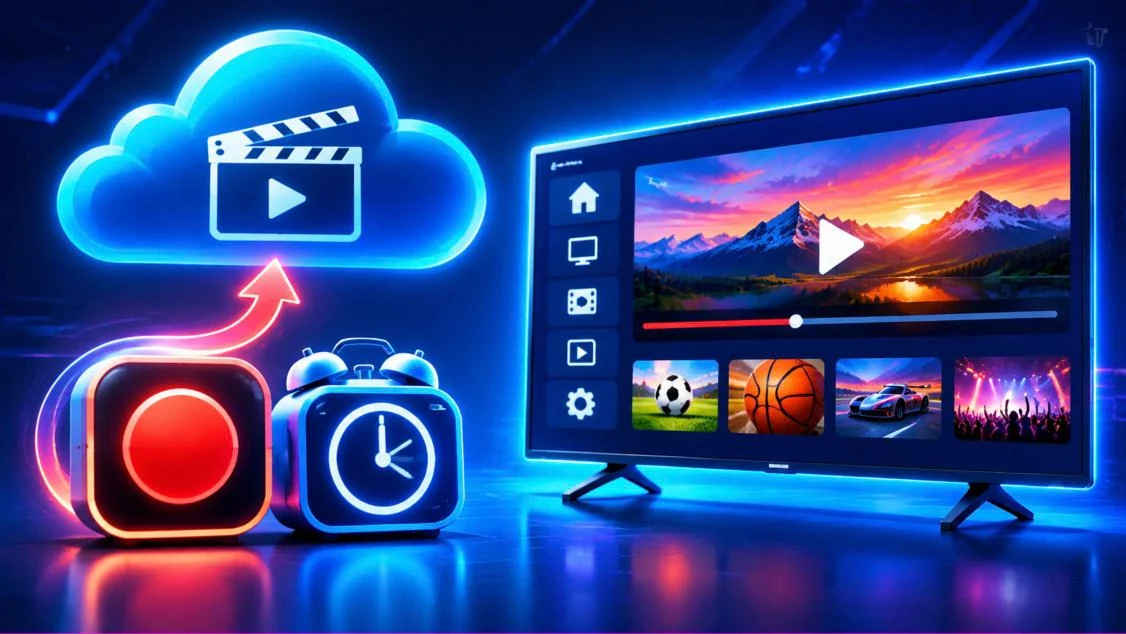
Unlike a cable DVR with a fixed hard drive in the box, IPTV recording is handled by your player app and saves to storage you provide — the device’s own space or attached storage like a USB drive. The mechanics are tied to the EPG, your on-screen guide: you browse to a programme, choose to record it, and the app captures that channel for the scheduled time and saves the file for you to watch whenever you like. Because it’s software-based, it’s often more flexible than a traditional DVR — you can typically schedule recordings in advance, record while watching something else, and manage your recordings from within the app.
The key dependency is that recording relies on an accurate guide. If your EPG is missing or its times are off, scheduled recordings land on the wrong content, so getting the guide right is the foundation — our EPG setup guide covers that in full.
Which apps support recording
Recording support varies by app, and it’s the main reason people choose one player over another for this feature. TiviMate is the best-known for recording, offering scheduling and recording as part of its Premium upgrade — you can set programmes to record from the guide and manage them within the app. IPTV Smarters and some other players offer recording capabilities too, though the exact features and reliability differ. If recording is important to you, it’s worth confirming the specific app you plan to use supports it the way you need before building your setup around it. Our TiviMate guide and IPTV Smarters guide cover each app more broadly.
What you need: storage
Since recordings save to storage you provide, how much you can record is up to you. Video files are large, especially in HD, so a device’s limited built-in storage fills quickly — a Firestick, for example, has very little space to spare. For any serious recording, attaching external storage such as a USB drive (where your device supports it) or recording on a device with more capacity like a fuller Android box makes far more sense. Plan your storage around how much you record and in what quality: a few programmes now and then is undemanding, but recording regularly in HD adds up fast, and running out of space mid-recording is a common frustration that a little planning avoids.
Recording versus catch-up
It’s worth understanding catch-up, because for many people it reduces the need to record at all. Catch-up (sometimes called timeshift or archive) lets you rewind to programmes that aired recently without having recorded them in advance — the content is available for a window after broadcast, and you simply select it from the guide. Where it’s available, catch-up covers a lot of what people used a DVR for: missing a show and watching it later. The difference is that catch-up depends on the service offering it and only reaches back a limited time, whereas recording is something you control and keep for as long as your storage holds it. Many households use both — catch-up for recently missed shows, recording for things they want to keep or schedule ahead.
Getting set up for recording
To record on IPTV, you’ll want a player that supports it (TiviMate with Premium is the common choice), a correctly configured EPG so scheduling is accurate, and enough storage for what you plan to capture. Set the guide up first, confirm it’s showing the right programmes at the right times, then test a single recording before relying on it for something important. TVNow support runs over WhatsApp and can help you confirm your setup supports what you need, and our free trial lets you test recording and catch-up on your own hardware before committing. Plans are on our pricing page.
How much storage do you actually need?
A rough sense of scale helps you plan. HD video typically consumes a few gigabytes per hour, so a single two-hour film can eat several gigabytes, and a season of hour-long episodes adds up quickly. A device’s built-in storage — especially a Firestick’s, which is very limited — is really only suitable for the occasional short recording. For anything regular, you want dedicated external storage: a USB drive of a reasonable size, where your device supports attaching one, or a device with substantial internal space. If you plan to build a library of recordings, size the storage generously, because nothing is more annoying than a scheduled recording failing because the drive filled overnight. And remember to prune old recordings periodically; treating your recording storage like a DVR you occasionally clear out keeps it from becoming the bottleneck.
Recording quality and its trade-offs
Recordings capture the stream at the quality it’s broadcast, so an HD channel produces an HD recording with a correspondingly larger file. If storage is tight, recording from a standard-definition version of a channel (where one exists) dramatically reduces file size at the cost of sharpness — a reasonable trade for content you’ll watch once and delete. There’s also a reliability angle: a recording is only as good as the stream and connection at the moment it captures, so a channel that buffers while recording can produce a recording with the same stutters baked in. Recording over a wired connection, as with live viewing, gives the most dependable results, which matters more for recordings since you can’t re-capture a one-time broadcast.
Managing and watching your recordings
Once you’ve recorded something, the app handles playback and management from within its own interface — a recordings or library section where you can watch, organise, and delete what you’ve captured. The experience is much like a cable DVR’s list of recorded shows, with the advantage that it’s all software, so browsing and managing tends to be quicker and more flexible. It’s worth getting familiar with how your chosen app lists and sorts recordings, especially if you record regularly, so your library stays navigable rather than becoming a long undifferentiated list. Deleting watched recordings promptly both keeps the library tidy and frees the storage for new ones.
Common recording problems
A few issues come up often enough to flag. If a recording captured nothing or the wrong programme, the cause is nearly always the EPG — an inaccurate guide or a timezone offset means the app recorded the wrong time, so fix the guide before blaming the recording feature. If recordings fail partway through, check your storage wasn’t full and that the device didn’t go to sleep or lose its connection mid-recording. And if the feature isn’t available at all, confirm whether it requires a paid tier of the app, as TiviMate’s recording does with Premium — a “missing” feature is sometimes simply one that isn’t included in the free version. Working through those three — guide, storage, and whether the feature is actually enabled — resolves the large majority of recording complaints.
Is recording worth setting up for you?
Before investing in storage and a premium app tier, it’s worth a moment’s honesty about whether you’ll actually use recording. If your main need is simply catching shows you missed, catch-up — where your setup offers it — covers that with no setup and no storage at all, and may be all you need. Recording earns its place when you want to keep programmes long-term, schedule things far in advance, or build a personal library, or when catch-up isn’t available for the channels you care about. Thinking about which of those describes you saves either unnecessary setup or the disappointment of discovering catch-up alone doesn’t do what you wanted. For many households a quick test of both on a trial makes the choice obvious.
Bottom line
IPTV can absolutely replace your cable DVR, and often does the job more flexibly — but it works through your player app, relies on an accurate EPG, and uses storage you provide rather than a built-in drive. TiviMate with Premium is the go-to for recording; catch-up, where offered, handles a lot of the same need without any setup. Get your guide right, plan your storage, and test a recording before you count on it, and you’ll have a DVR setup that fits exactly how your household watches.