
M3U and Xtream Codes are just two ways to connect the same IPTV subscription. An M3U is a playlist link that contains the full channel list; an Xtream Codes login is a server address plus a username and password that your app uses to pull channels, categories, catch‑up and the TV guide dynamically. Neither is “better” in every case — the right one depends on your app and device. This guide explains both in plain English, shows a side‑by‑side comparison, and tells you which to use in Canada for Firestick, Android boxes, smart TVs and MAG boxes.
Key takeaways
- M3U is a playlist — a single link (or file) that lists every channel. It works in almost any player.
- Xtream Codes is a login — a server URL, username and password — that talks to the provider through an API, loading channels and guide data on demand.
- Most providers give you both. For everyday use on apps like TiviMate or IPTV Smarters, Xtream Codes is usually the smoother choice; M3U is the universal fallback.
- A third type, the Stalker/MAC portal, is used mainly on MAG‑style boxes.
What is an M3U playlist?
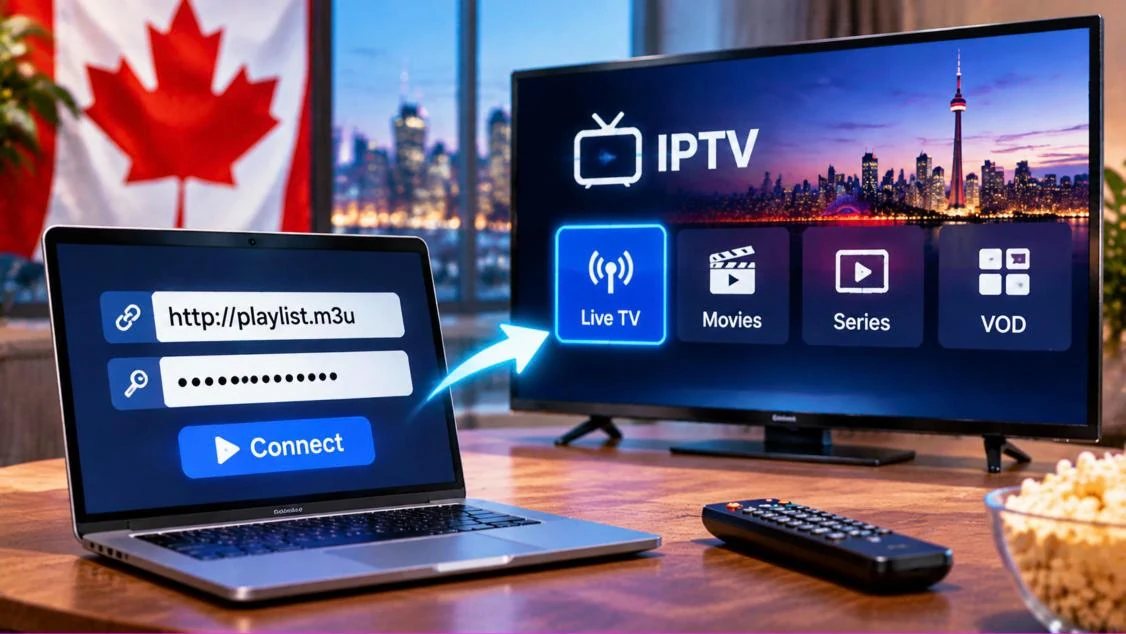
An M3U (or M3U8) is a plain‑text playlist. Inside, each line points to a channel’s stream and carries a bit of info — the channel name, a logo, and a category tag. Your provider usually gives it to you as a URL that your player fetches automatically, rather than a file you download by hand.
The big advantage of M3U is compatibility: it works in virtually every player ever made, including VLC, Kodi and nearly all IPTV apps. The trade‑off is that a very large M3U list has to be loaded and processed by your device, which can feel slow on a cheap box, and the guide (EPG) often has to be added separately.
What are Xtream Codes?
Xtream Codes is an API‑based login that came from the Xtream Codes management panel many providers use. Instead of one static file, your app connects to the provider’s server and requests data as you browse — live channels, movies, series and the EPG all load on demand.
Because the server does more of the work, Xtream Codes tends to feel faster on modest hardware, keeps categories tidy, and pulls in VOD and the guide automatically. You enter three things: the server URL, your username and your password. Apps like TiviMate and IPTV Smarters have a dedicated Xtream Codes login screen for exactly this.
M3U vs Xtream Codes: side by side
| Feature | M3U playlist | Xtream Codes API |
|---|---|---|
| What you enter | One playlist URL | Server URL + username + password |
| How it loads | Downloads the whole list upfront | Loads channels/categories on demand |
| Compatibility | Works with almost every player | Needs an app that supports Xtream login |
| Performance on cheap devices | Can lag with huge lists | Usually smoother |
| EPG (TV guide) | Often added separately | Usually pulled in automatically |
| VOD / series | Basic | Organised into categories |
| Best for | VLC, Kodi, universal use | TiviMate, IPTV Smarters, daily use |
Which one should you use?
Pick based on your app and device:
- TiviMate, IPTV Smarters, Smarters‑style apps → use Xtream Codes for the cleanest guide and VOD. See our TiviMate setup guide and IPTV Smarters Pro guide.
- VLC or Kodi → use M3U; these are built around playlists. Our VLC IPTV guide walks through it.
- Older or budget boxes → Xtream Codes if the app supports it, since the server does more work.
- Not sure → try Xtream Codes first; keep the M3U link as a backup.
Whichever you use, a good TV guide makes a big difference — see setting up EPG in Canada.
What about Stalker / MAC portal?
There is a third connection type you’ll see on MAG and MAG‑style boxes: the Stalker portal, which uses a portal URL tied to your device’s MAC address. It isn’t interchangeable with M3U or Xtream — it’s a separate system for that hardware. If you run a MAG box, follow our MAG box IPTV guide instead.
How to set up each (quick version)
Adding an M3U playlist
- Open your player and choose “Add playlist” or “Add source”.
- Select the M3U URL option and paste the link your provider gave you.
- Let it load, then add an EPG URL if the guide is empty.
Logging in with Xtream Codes
- Open your app and choose “Add Xtream Codes” or “Login with Xtream Codes API”.
- Enter the server URL, username and password exactly as provided.
- Save — channels, VOD and the guide should populate automatically.
New to all of this? Start with our getting started with IPTV walkthrough.
A warning about “free” M3U and Xtream codes
Search results are full of “free” shared M3U links and Xtream logins. These are almost always expired, overloaded, or tied to pirated content, and shared credentials get cut off constantly. Beyond the reliability problems, they raise real legal and security concerns — read our piece on licensed vs unlicensed IPTV before using any random code. A proper subscription gives you your own credentials that actually stay working.
Common login errors and fixes
- “Invalid credentials” — a typo in the username/password, or you pasted an M3U link into the Xtream fields. Re‑enter carefully.
- Channels won’t load — the server URL may need “http://” and the correct port; copy it exactly.
- Guide is empty — add the EPG URL, or switch to the Xtream login which usually includes it.
- Everything buffers — that’s a connection issue, not a format one; see our stop buffering guide.
How to find your M3U link and Xtream Codes
When you subscribe with a legitimate provider, both sets of details are issued to you — usually by email or in an account dashboard. The M3U arrives as a single long URL that begins with http and ends in your username, password and an “output” type. The Xtream Codes are the same information split into three fields: the server (the part before the first slash), your username and your password. If you only have an M3U link, you can read the server, username and password straight out of it to log in with Xtream, since the same values are embedded in the URL. Keep these private — anyone with them can use your line, which is why sharing credentials gets accounts throttled or cut off.
Does the connection format affect streaming quality?
Not directly. The actual video quality — HD, FHD or 4K — comes from the stream and your internet connection, not from whether you connected by M3U or Xtream Codes. What the format changes is the experience around the video: how fast categories open, whether the guide and VOD show up, and how smoothly a big channel list scrolls on a low‑powered box. If your picture itself is soft or stuttery, the cause is almost always bandwidth or Wi‑Fi rather than the login type — check our internet speed requirements and 4K IPTV guide. Switching from M3U to Xtream won’t turn an HD line into 4K, but it can make a sluggish interface feel much more responsive.
Bottom line
M3U and Xtream Codes are two doors into the same subscription. M3U is the universal playlist that works everywhere; Xtream Codes is the smarter login that pulls in categories, VOD and the guide for you. For most Canadians on TiviMate or IPTV Smarters, Xtream Codes is the easier daily driver — keep your M3U link handy as a backup. If you’d like to test both on your own devices, TVNow provides both formats and a 24‑hour free trial.
Frequently asked questions
What is the difference between M3U and Xtream Codes?
M3U is a playlist link that lists channels; Xtream Codes is an API login (server URL, username, password) that loads channels and guide data on demand.
Which is better, M3U or Xtream Codes?
For most apps like TiviMate and IPTV Smarters, Xtream Codes is smoother and includes the guide and VOD. M3U is the most compatible and a good backup.
Can I use Xtream Codes in an M3U‑only player?
No. You need a player that supports Xtream Codes authentication. VLC and basic players use M3U only.
Do M3U playlists include a TV guide?
Not always. M3U often needs a separate EPG URL, whereas Xtream Codes usually pulls the guide in automatically.
What is a Stalker or MAC portal?
It’s a third connection type used mainly on MAG‑style boxes, based on a portal URL tied to the device’s MAC address. It isn’t interchangeable with M3U or Xtream.
Are free M3U or Xtream codes safe?
Generally no. They’re usually expired or tied to pirated content and get cut off quickly. A proper subscription gives you your own stable credentials.