

VLC can play an IPTV M3U playlist on almost any device — open Media, choose Open Network Stream, paste your M3U URL, and your channels play — but it’s a basic player with no TV guide or favourites, so it’s best as a simple or backup option rather than your main IPTV app. VLC is the free, universal media player most people already have, and it handles IPTV playlists on Windows, Mac, Linux, Android and iOS. This guide shows how to load IPTV in VLC on each platform, what it can’t do, and when a dedicated player is the better choice.
Key takeaways
- VLC plays IPTV via M3U playlists — paste the URL into Open Network Stream.
- It works on Windows, Mac, Linux, Android and iOS.
- It has no EPG, favourites or Xtream Codes login — it’s a basic player.
- Great as a quick test or backup; use TiviMate or IPTV Smarters for daily viewing.
What VLC can and can’t do for IPTV
VLC is a brilliant, free, open-source media player, and it will happily play an IPTV M3U playlist — you’ll get your channels and they’ll play reliably. What it won’t give you is the experience of a dedicated IPTV app: there’s no electronic program guide, no favourites or channel organisation to speak of, no catch-up or VOD sections, and no Xtream Codes login (it works from M3U playlists). So VLC is excellent for quickly testing whether a playlist works, as a fallback when another app fails, or for light use — but for everyday live-TV viewing, a purpose-built player is far nicer. Knowing this up front saves disappointment.
What you need
You need VLC installed (it’s free from the official VideoLAN site or your device’s app store) and your provider’s M3U URL. VLC uses M3U playlists rather than Xtream Codes, so if your provider only gave you Xtream details, ask for the M3U link — most offer both. Our guide to M3U and Xtream Codes explains the formats.
How to add IPTV on VLC (Windows and Mac)
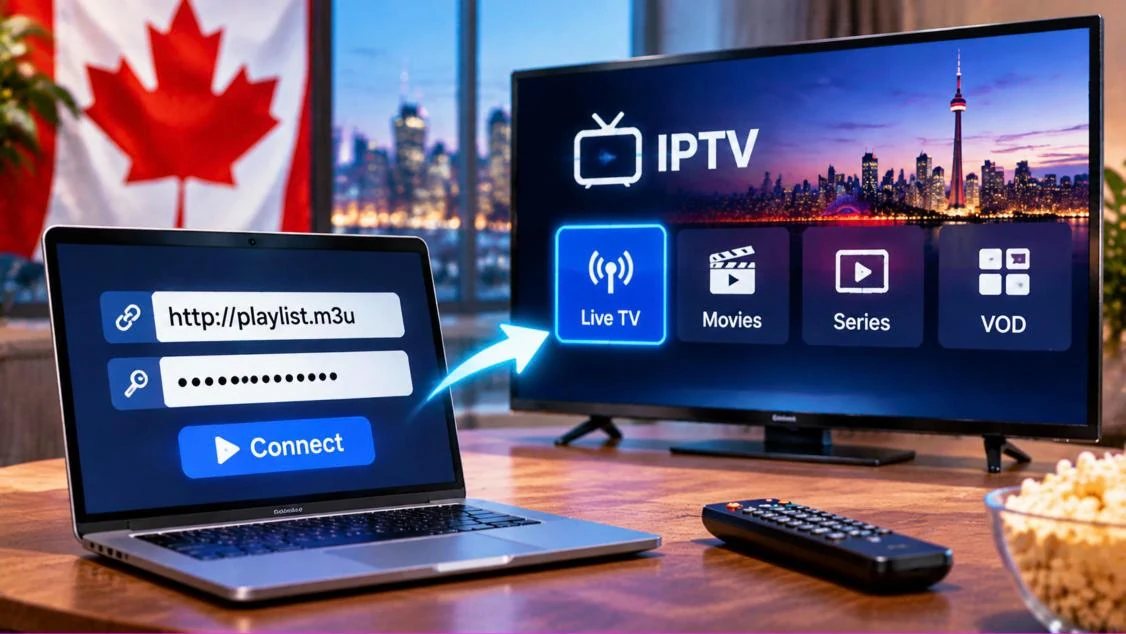
On a computer, open VLC and go to the Media menu (on Mac it’s the File menu), then choose Open Network Stream. Paste your M3U URL into the network URL box and click Play. VLC loads the playlist and begins playing; you can open the playlist view to see and switch between channels. Alternatively, if you have a downloaded .m3u file, use Open File and select it. That’s the whole process on desktop — a few clicks and you’re watching.
How to add IPTV on VLC (Android and iOS)
On mobile, open the VLC app and look for the Network or New Stream option (on Android it’s often under the stream/network menu; on iOS, the Network tab). Enter your M3U URL and play. On Android you can also open a downloaded .m3u file through the browse option. The mobile apps are a little more limited than desktop for browsing a large channel list, but they play playlists fine for quick viewing. For a better mobile experience overall, a dedicated iOS or Android IPTV app is worth considering.
The limitations to know about
It’s worth being clear on VLC’s gaps so you choose the right tool. There’s no program guide, so you can’t see what’s on or coming up. There’s no favourites system, so navigating a big channel list means scrolling the raw playlist. There’s no Xtream Codes support, so you must use an M3U link. And there’s no catch-up or VOD organisation. For a handful of channels or a quick check these don’t matter, but for a full IPTV lineup you’ll feel them quickly — which is why VLC is usually a secondary tool.
When to use VLC vs a dedicated player
Use VLC when you want to quickly test whether an M3U playlist works, when another app is misbehaving and you need a reliable fallback, or when you only watch a few channels and don’t need a guide. Use a dedicated player — TiviMate on Android, IPTV Smarters across platforms — when you want the full experience: a program guide, favourites, Xtream login, and a polished live-TV interface. Most people end up using a dedicated player day to day and keeping VLC around as a handy backup and testing tool.
Troubleshooting
VLC IPTV issues are usually simple. If the playlist won’t load, re-check the M3U URL is exact and your subscription is active; try pasting it into a browser to confirm it downloads. If some channels play and others don’t, that’s often the streams themselves rather than VLC. If playback stutters, it’s a connection issue — go wired and see our buffering guide. If VLC can’t open the stream, make sure you used Open Network Stream (not Open File) for a URL. For more, see our troubleshooting guide.
Tips for using VLC with IPTV
A few pointers make VLC more pleasant. Keep VLC updated for the best codec support and stability. On desktop, open the playlist panel so you can see and jump between channels rather than playing blind. For a large list, VLC’s search within the playlist helps you find a channel quickly. And remember you can save a playlist locally if you want quick access, though a remote M3U URL stays current as your provider updates channels. For anything beyond light use, though, the real upgrade is a dedicated player.
VLC as a diagnostic tool
One of VLC’s most useful roles in an IPTV setup isn’t as your main player at all — it’s as a diagnostic tool. Because VLC is simple and plays M3U playlists directly, it’s the quickest way to answer the question “is the problem my app or my subscription?” If a channel won’t play in TiviMate or IPTV Smarters, loading the same M3U in VLC tells you a lot: if it plays fine in VLC, the issue is likely a setting in your main app; if it fails in VLC too, the problem is the playlist, the stream, or your connection. This makes VLC invaluable for troubleshooting, since it strips away the variables of a feature-rich player. Keeping VLC installed alongside your main IPTV app, even if you rarely watch in it, gives you a reliable second opinion whenever something goes wrong — a small habit that saves a lot of guesswork.
VLC across your devices
Because VLC runs on virtually every platform, it’s a handy common denominator across a mixed household. The same M3U URL works whether you open it in VLC on a Windows laptop, a Mac, an Android phone or an iPad, so you can check a playlist or watch a channel on whatever device is nearest without learning a new app each time. This universality is part of why VLC is worth having even when you use a dedicated player for the living-room TV — it’s the app you reach for on a computer or a spare phone. Just remember the experience is deliberately bare-bones: it’s the same simple, reliable playback everywhere, without the guide and organisation features that make a dedicated player nicer for sustained viewing.
Getting smooth playback in VLC
VLC plays IPTV reliably, but the usual connection rules apply. A wired connection on a computer gives the steadiest live TV, and on mobile a strong Wi-Fi signal matters. If a stream stutters, VLC has caching settings you can increase slightly to smooth playback over a less stable connection, though a better connection is always the real fix. Keep VLC updated so it has the latest codecs, since the odd channel that won’t play is sometimes a codec the older version didn’t support. And as with every player, the quality you get depends on the stream and your internet, not on VLC itself — it’s simply showing you what the connection delivers. For persistent stutter, our buffering guide applies to VLC as much as any other player.
Bottom line
VLC is a quick, universal way to play an IPTV M3U playlist on any device — open a network stream, paste your M3U URL, and watch. It’s perfect for testing a playlist or as a reliable backup, but its lack of a guide, favourites and Xtream support makes it a poor main player. For daily IPTV, pair it with a dedicated app and keep VLC in your back pocket. To test a playlist, TVNow offers a 24-hour free trial.
Frequently asked questions
How do I play IPTV on VLC?
Open VLC, go to Media (or File on Mac), choose Open Network Stream, paste your M3U URL, and play. On mobile, use the Network/New Stream option.
Does VLC support Xtream Codes?
No. VLC works from M3U playlists, so use the M3U link from your provider rather than Xtream Codes details.
Does VLC have a TV guide for IPTV?
No. VLC has no EPG or favourites — it simply plays the playlist. For a guide, use a dedicated player like TiviMate or IPTV Smarters.
Is VLC good for IPTV?
It’s great for testing a playlist or as a backup, and for watching a few channels. For a full lineup with a guide, a dedicated player is better.
Why won’t my M3U playlist load in VLC?
Usually a wrong URL or an inactive subscription. Re-check the M3U URL, confirm your plan is active, and make sure you used Open Network Stream.
Can I use VLC for IPTV on my phone?
Yes — the VLC mobile app plays M3U playlists via its Network/New Stream option on both Android and iOS.