
BuzzTV makes IPTV-focused Android set-top boxes with a built-in player, aimed at people who want a dedicated, cable-like IPTV device at good value. This is an honest overview of what BuzzTV offers, its strengths and limitations, and who it suits — based on its features and where it sits in the market, rather than inflated scores. If you’re weighing a BuzzTV box for IPTV in Canada, here’s what to know.
Key takeaways
- BuzzTV makes Android IPTV boxes with a built-in player, positioned as strong value.
- Supports Xtream Codes, M3U and portal, and runs Play Store apps like TiviMate.
- Strengths: IPTV-focused design, remotes built for live TV, flexibility.
- Consider: it’s a box you pair with your own subscription — not a service.
What is BuzzTV?
BuzzTV is a brand of Android-based set-top boxes built specifically for IPTV. Rather than being a general streaming device that happens to run IPTV apps, BuzzTV boxes are designed around live-TV use — with a built-in IPTV player and remotes made for channel navigation. They sit in the same category as Formuler, competing largely on value. Importantly, a BuzzTV box is hardware: it doesn’t include channels, so you pair it with your own IPTV subscription, the same as any other box. Our full BuzzTV setup guide covers getting one running.
The BuzzTV player and interface
BuzzTV boxes ship with their own IPTV player, which handles the essentials well: live channels, a program guide, favourites, and VOD/series where your subscription provides them. The interface is designed to feel TV-like, so navigating channels is straightforward from the couch. It’s capable and does the core job, though enthusiasts sometimes consider rival players like Formuler’s MYTVOnline or TiviMate more refined. The good news is that because BuzzTV runs Android, you’re not locked into the built-in player — more on that below.
Features
A BuzzTV box covers what most IPTV users need: support for the main connection types (Xtream Codes, M3U and portal), a usable EPG, favourites and categories, and 4K output on capable models. The remotes are a genuine plus, often including number keys and shortcuts that make live-TV navigation feel like traditional cable. And as an Android device, it can install additional apps from the Play Store — including TiviMate and IPTV Smarters — plus mainstream streaming apps, so it doubles as a general streamer. That flexibility is part of the appeal.
Strengths
- IPTV-focused design — built for live TV, not a general streamer retrofitted for it.
- Good value — capable IPTV hardware typically priced below premium rivals.
- Live-TV remotes — number keys and shortcuts suited to channel surfing.
- Flexibility — Android means you can run TiviMate, IPTV Smarters or other apps.
- Multiple connection types — works with most providers (Xtream, M3U, portal).
Things to consider
- It’s hardware only — you still need your own subscription; a box can’t fix an unreliable provider.
- The built-in player is capable but some enthusiasts prefer MYTVOnline or TiviMate.
- As with any box, performance varies by model — choose a current mid-to-upper unit.
- Avoid units sold “pre-loaded” with channels, which point to pirated content.
Who BuzzTV is for
A BuzzTV box suits someone who treats IPTV as a main TV source and wants a dedicated, value-oriented device rather than a bare streaming stick — particularly a heavy live-TV viewer who’ll appreciate the live-TV remote, or anyone who wants an IPTV-focused box without paying premium prices. It’s less necessary for a casual viewer who’d be fine with a cheap Firestick, or for someone who only wants the absolute most polished experience and is willing to pay more for Formuler. If you want solid IPTV capability and flexibility at a fair price, BuzzTV is a sensible choice.
BuzzTV vs alternatives
Against a Firestick, BuzzTV offers a more IPTV-focused experience and a better live-TV remote, at a higher price and less portability. Against Formuler, it’s the value option versus Formuler’s premium MYTVOnline polish — our BuzzTV vs Formuler comparison covers that directly. Against a generic Android box, BuzzTV’s IPTV focus and remote are the differentiators. And since it runs Android, you can always add TiviMate regardless. Our IPTV box guide places it in the wider field.
Everyday experience
In day-to-day use, the thing people most appreciate about a BuzzTV box is that it behaves like a proper TV device rather than a repurposed streaming gadget. Turning it on brings you to a live-TV-oriented experience, the remote’s layout makes flipping channels and jumping to favourites quick, and the built-in player keeps the guide and categories close to hand. For a household migrating from cable, that familiarity eases the transition — it feels less like learning an app and more like using a slightly smarter cable box. The experience naturally depends on your subscription and connection doing their part, but assuming those are solid, a BuzzTV box delivers the kind of straightforward, remote-driven live-TV experience that suits a main living-room TV, which is exactly what it’s designed for.
Setup and ease of use
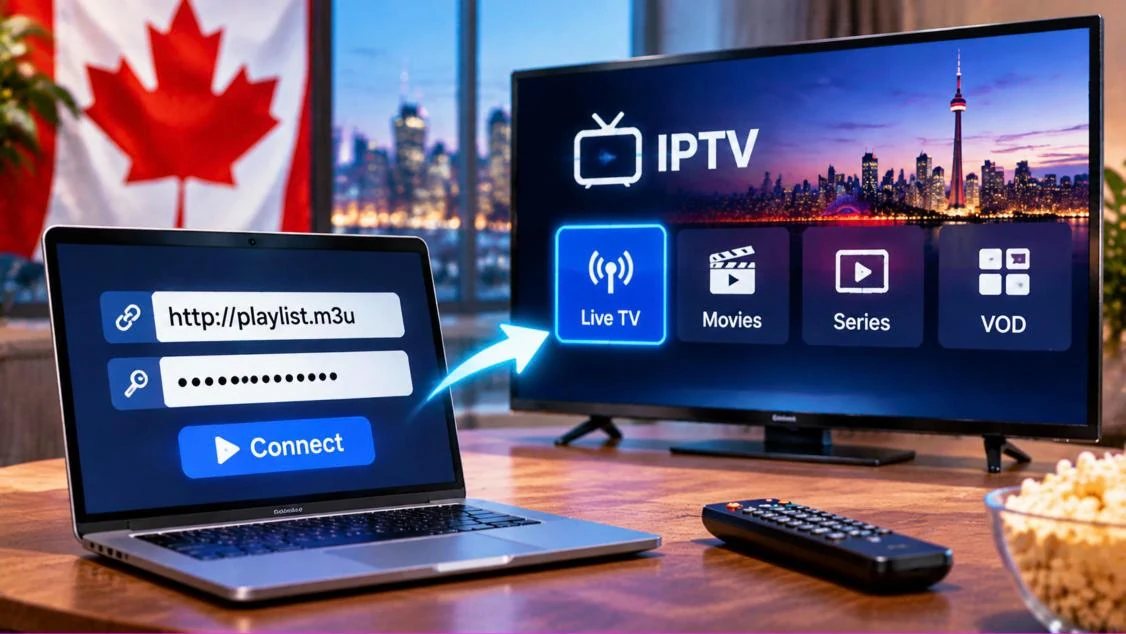
Getting a BuzzTV box running is straightforward: connect it to your TV and internet, open the built-in player, and enter your Xtream Codes, M3U or portal details to load your channels. Because it’s a dedicated IPTV box, there’s less wading through unrelated apps and settings than on a general streamer, which non-technical users tend to find reassuring. If you’d rather use a different interface, installing TiviMate or IPTV Smarters from the Play Store is just as easy. Either way, most people are watching within about ten minutes. Our BuzzTV setup guide walks through the full process step by step, and our getting started guide covers the basics if it’s your first IPTV setup.
Getting the best from a BuzzTV box
To get the most out of the box, a few habits help. Use the Ethernet port with a wired connection for the steadiest live TV — this matters most for sport and busy evening viewing. Keep the box’s firmware and your player app updated for stability and compatibility. Organise your channels into favourite groups so your regular viewing is front and centre, and set the guide to your correct time zone. If performance ever dips, a restart and a cache clear usually revive it. And as with any IPTV hardware, the single biggest factor in your experience is pairing the box with a reliable provider that has well-located servers — even the best box can’t compensate for an unstable or distant service. Get those right and a BuzzTV box is a dependable, low-fuss IPTV device.
Is a BuzzTV box worth it?
For the right buyer, yes. If you want a dedicated IPTV box that’s purpose-built for live TV, comes with a remote suited to channel surfing, supports every common connection type, and can run the best third-party apps — all at a price below premium rivals — a BuzzTV box represents good value. It’s not the cheapest option (a Firestick undercuts it) nor the most premium (Formuler’s MYTVOnline is more polished), but it occupies a sensible middle ground that suits a lot of households, especially heavy live-TV viewers. As always, remember you’re buying hardware to pair with your own subscription, so budget for a reliable service too, and test that service on a free trial once your box is set up to confirm you’ve got both halves right.
Bottom line
BuzzTV is a solid, value-oriented choice for a dedicated IPTV box: it’s purpose-built for live TV, supports all the main connection types, has remotes suited to channel surfing, and — being Android — runs TiviMate and other apps if you want them. It’s hardware you pair with your own subscription, so pair it with a reliable provider and a wired connection for the best results. If you want IPTV-focused capability without premium pricing, it’s well worth considering. To test a service on a BuzzTV box, TVNow offers a 24-hour free trial.
Frequently asked questions
Is BuzzTV good for IPTV?
Yes — BuzzTV boxes are purpose-built for IPTV, support Xtream, M3U and portal connections, and have remotes suited to live TV, at good value.
Does a BuzzTV box include channels?
No. It’s hardware — you pair it with your own IPTV subscription. Avoid boxes sold “pre-loaded” with channels.
Can I use TiviMate on a BuzzTV box?
Yes. BuzzTV boxes run Android, so you can install TiviMate or IPTV Smarters from the Play Store.
Is BuzzTV better than Formuler?
BuzzTV is positioned as value, Formuler as premium with the polished MYTVOnline player. Both are capable — it depends on budget and preference.
Does BuzzTV support 4K?
Capable models support 4K output. Choose a current mid-to-upper model for the best performance with big channel lists and 4K.
Who should buy a BuzzTV box?
Heavy live-TV viewers who want a dedicated, value-oriented IPTV box with a live-TV remote and the flexibility to run other apps.