

You can watch every Toronto Maple Leafs game without cable by combining Sportsnet+ for most of the season, Prime Video for the national Wednesday games, and TSN+ where needed — all streamed on a device you already own. With CBC out of the NHL and more Leafs games moving behind streaming paywalls in 2026-27, the cord-cutter path has actually become the main way to follow the team rather than a workaround. This guide shows you exactly which services you need, what they cost, and how to drop cable while keeping all 82 games.
Key takeaways
- Sportsnet+ covers most Leafs games, including the Monday-night exclusives not on any TV provider.
- Prime Video carries the national Wednesday games, included with a Prime membership.
- A Sportsnet+ annual plan plus Prime covers the large majority of the season cheaply.
- No cable box, no contract — watch on any device, in any room or on the go.
What you need to watch the Leafs without cable
The whole setup comes down to three things: a streaming device (a Firestick, Android box, smart TV, Apple TV, phone or computer), a Sportsnet+ subscription, and a Prime membership. That combination carries the bulk of the Leafs’ schedule, and you’d only add TSN+ if a particular TSN-carried game needs it. There’s no installer, no rented box and no contract — you sign into the apps and you’re watching. It’s genuinely simpler than a cable install, and cheaper every month after.
Where Leafs games live this season
Knowing the windows is half the battle. Saturday national games are on Sportsnet (and Sportsnet+ if you stream). Monday-night Leafs games are Sportsnet+ exclusives — they aren’t available through a cable or satellite box at all, which is the single biggest reason cable alone no longer covers the team. National Wednesday games stream only on Prime Video. The remaining regional games run on the local Sportsnet feed and, for some games, TSN. French-language national coverage is on TVA Sports. Our guide to what channel the Leafs game is on tonight breaks this down game by game, and our broader NHL streaming guide covers the league-wide picture.
The services and what they cost
Sportsnet+ is the workhorse at around $35 a month or roughly $270 a year — the annual plan being noticeably cheaper per month and the better choice for a full season. Prime Video comes with a standard Prime membership, which many households already pay for, so the Wednesday games often cost nothing extra. TSN+ sits in a similar range to Sportsnet+ and is only worth adding if your viewing needs the TSN-carried games. For most Leafs fans, then, the real cost is a Sportsnet+ annual plan plus a Prime membership — well below a cable sports tier. Our IPTV vs cable comparison puts the savings in context.
Step by step: cut cable, keep the Leafs
Making the switch is simple. First, confirm your internet is solid, ideally with a wired option at your main TV. Second, get a streaming device if you don’t already have one. Third, subscribe to Sportsnet+ (start monthly to test, then go annual) and make sure you have a Prime membership. Fourth, install the apps on your device and sign in. Fifth, add TSN+ only if you find specific games you’re missing. Finally, cancel your cable TV package — keeping your internet, of course. The whole process takes an evening, and you’ll be set for the season.
The cheapest Leafs setup
To keep costs to a minimum, lean on the annual Sportsnet+ plan plus the Prime membership you likely already have, and resist adding services “just in case.” That pairing covers the large majority of Leafs games, and for the occasional one it misses, free over-the-air broadcasts of nationally significant games or a short add-on can fill the gap. Reviewing your subscriptions once a season — and dropping anything you didn’t use — keeps the setup lean. Done this way, following the Leafs costs a fraction of what a cable package with a sports tier did.
Watching on the go and out of market
One of the biggest advantages over cable is portability. Once you’re signed into Sportsnet+ and Prime, you can watch the Leafs on a laptop or phone wherever you have a decent connection — at work, a friend’s place, or travelling. Regional rules still apply, so a regional game may behave differently when you’re in another part of the country, but the national windows are available nationwide. For reliable viewing away from home, a solid Wi-Fi or a personal hotspot beats congested public networks.
Blackouts and regional coverage
Regional sports rights are tied to location, so if you travel you may find a Leafs game on a different feed or blacked out in another market. National broadcasts — Saturday on Sportsnet and the Wednesday Prime games — are available right across Canada, so those are the dependable ones when you’re away. If a regional game won’t play, it’s almost always a blackout tied to your area rather than a problem with your setup.
Don’t miss a game: checking the schedule
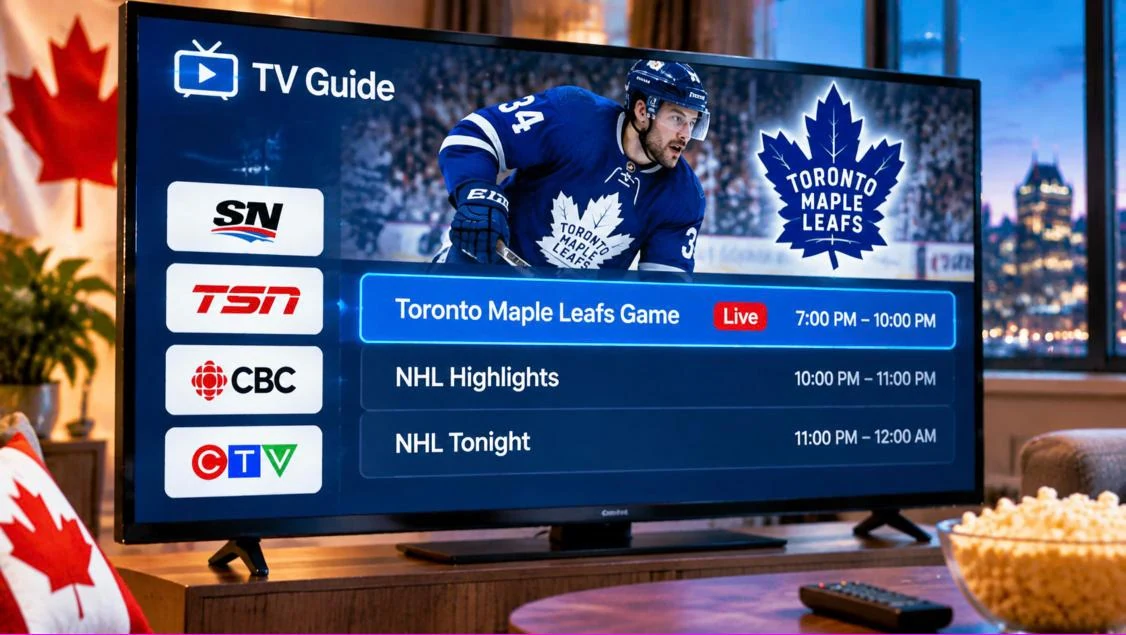
Because the Leafs’ games are split across services and windows, the reliable habit is to check the schedule rather than assume. The official Leafs schedule shows the date and broadcaster for each game, so a quick look tells you whether tonight’s game is on Sportsnet, Sportsnet+, or Prime. A good electronic program guide on your streaming setup makes this even easier night to night, and our Leafs channel guide is built around exactly this question.
Smooth streaming for hockey
Hockey punishes a weak connection, so get the basics right. Wire your main device to the router where you can, give your internet plan headroom if others stream at the same time, and set the quality to what your connection can sustain rather than forcing 4K on a shaky link. Our guides to internet speed and stopping buffering cover the details — the payoff is not losing a goal to a loading wheel during a tight game.
Why cutting cable makes more sense than ever for Leafs fans
The move to streaming isn’t just about saving money — the league’s own broadcast decisions have made cable an incomplete way to follow the Leafs. With a large share of the team’s Monday games living exclusively on Sportsnet+ and the national Wednesday games on Prime Video, a traditional cable subscriber now has to add streaming services anyway to see those games. That means cable fans are increasingly paying for both a cable package and streaming, which is the worst of both worlds on cost. Cutting cable and going streaming-only resolves that: you pay once, for the services that actually carry the games, and nothing for a cable tier that no longer covers the full schedule. For a dedicated Leafs fan, the maths now clearly favours the cord-cutter setup, which is a reversal from a few seasons ago when cable was the simplest complete option.
Setting up a second screen for the family
Many Leafs households want the game on more than one screen — the main TV plus a tablet in the kitchen, say, or a second TV for a family member who wants something else during intermissions. The streaming setup handles this well: your Sportsnet+ and Prime accounts work across devices, so you can sign in on each, subject to the simultaneous-stream limits of your subscriptions. A practical approach is to put the main game on the living-room TV with a wired device for the best picture, and use a phone or tablet on Wi-Fi as a roaming second screen. This flexibility simply wasn’t possible with a single cable box tied to one TV, and it’s one of the quieter advantages Leafs fans appreciate once they’ve switched — the game follows you around the house rather than keeping you pinned to one room.
Bottom line
Watching the Leafs without cable is now the norm, not a workaround: a Sportsnet+ annual plan plus a Prime membership covers the large majority of the season, with TSN+ as an optional extra, all on a device you already own and at a fraction of a cable bill. Wire your connection, check the schedule for each game, and you’ll catch every one. For a single app to handle your everyday live TV alongside these sports services, TVNow offers a 24-hour free trial.
Frequently asked questions
How can I watch the Maple Leafs without cable?
Combine Sportsnet+ (most games, including Monday exclusives) with Prime Video (national Wednesday games), adding TSN+ only if specific games need it.
Do I need cable to watch the Leafs anymore?
No — and cable alone no longer covers the team, since Monday games are Sportsnet+ exclusives and Wednesday games are Prime exclusives.
How much does it cost to watch the Leafs without cable?
Mainly a Sportsnet+ annual plan (around $270/year) plus a Prime membership you may already have — well below a cable sports tier.
Where are Monday and Wednesday Leafs games?
Monday games stream exclusively on Sportsnet+, and national Wednesday games stream exclusively on Prime Video.
Can I watch the Leafs on my phone?
Yes. Once signed into Sportsnet+ and Prime, you can watch on a phone, tablet or laptop wherever you have a good connection, subject to regional rules.
Will I miss any Leafs games without cable?
With Sportsnet+ and Prime you get the large majority; add TSN+ for any TSN-carried games to cover essentially the whole season.